![Artboard_3@2x[1]](https://aivatec.com/wp-content/uploads/2025/11/Artboard_3@2x1-scaled.png)
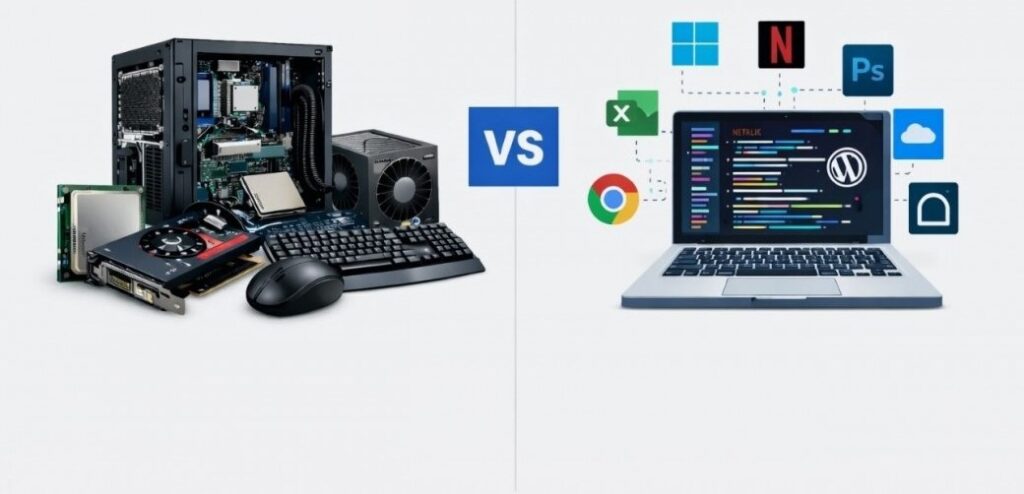
A computer system is built from a mix of physical components and software that work together to get the job done efficiently. Knowing the difference between hardware and software is essential to understanding how a computer actually works. The main divide really comes down to their nature: hardware is the actual physical bits and bobs that make up a computer, like your keyboard, monitor, processor, memory, and storage devices, whereas software is just a set of instructions or a program that tells the hardware what to do.
What Is Computer Hardware?
Hardware (we often shorten it to just HW) is the actual physical bits that a computer system needs to run properly – the difference being that software is all the written instructions telling those physical bits what to do.
Internal and External Hardware Components
- The hardware components fall into two categories – internal and external.
- Internal hardware is what you’ll find installed inside the computer – think the motherboard, power supply, and central processing unit (CPU) – those are all pretty standard bits of kit.
- External hardware, on the other hand, is the stuff that sticks out the sides of your pc – we often refer to those as peripherals or peripheral devices – and things like monitor, keyboard, mouse, and the like are all pretty common examples.
Examples:
- CPU
- Monitor
- Keyboard
- Mouse
- Hard Drive
- Real-life analogy (body parts comparison)
What Is Computer Software?
Computer software is a set of instructions and programs that enable a user to interact with a computing device and its systems. Abbreviated as S/W or SW, computer software is of two types: system software and application software.
System software is the interface between end-users and a computer’s hardware. It is a collection of low-level programming languages.
Common examples of System Software – Assemblers, compilers, operating systems, system utilities, computer language translators, and interpreters.
Application software offers program packages for accomplishing a particular task. These are interactive, easy to use, and less complicated than system software.
Best examples of Application Software – MS Excel, MS Word, PowerPoint, payroll software, communication platforms, image editors, and different types of software applications, depending on the purpose.
Examples:
- Operating System
- MS Word
- Web Browsers
- Games
- Analogy (brain/instructions comparison)
Difference between Computer Hardware and Software
Computer hardware refers to the physical parts of a computer that you can see and touch.
Computer software refers to the programs and instructions that run on the hardware.
Hardware provides the system’s structure, while software controls its operations.
In simple terms, hardware is the machine, and software makes it work.
Physical vs Non-Physical Nature
- Hardware = Physical components
- Software = Digital programs
Dependency Difference
- Software cannot run without hardware.
- Hardware is useless without software.
Creation and Development
- Hardware is manufactured
- Software is developed/programmed.
Examples Comparison Table
| Basis | Hardware | Software |
|---|---|---|
| Nature | Physical | Virtual |
| Examples | Keyboard, CPU | Windows, Chrome |
| Damage | Can break physically | Can crash or get corrupted |
Relationship between Hardware and Software
Simple Workflow Explanation
- You give input using hardware (keyboard, mouse).
- Software processes the instruction.
- Hardware executes the command.
- Output appears on the screen or through speakers.
This cooperation shows that hardware and software depend on each other for a computer system to function properly.
Types of Computer Hardware
Computer hardware can be divided into categories:
- Input Devices
- Output Devices
- Processing Devices
- Storage Devices
1. Input Devices
Input Devices are hardware components used to enter data and instructions into a computer system.
- Keyboard
- Mouse
- Scanner
- Microphone
2. Output Devices
Output Devices are hardware components that display the results of a computer’s processing.
- Monitor
- Printer
- Speakers
3. Processing Devices
Processing Devices are hardware components that handle calculations and process data inside a computer.
- CPU
- Graphics Card
4. Storage Devices
Storage Devices are hardware components used to store data and information in a computer.
- Hard Drive
- SSD
- USB Drive
Types of Computer Software
Software is also divided into categories:
- System Software
- Application Software
- Utility Software
1. System Software
System Software is the type of software that manages and controls the basic functions of a computer system.
- Operating Systems
- Device Drivers
2. Application Software
Application Software is software designed to help users perform specific tasks.
It runs on top of system software and allows you to do things like write documents, browse the internet, or play games.
- MS Word
- Excel
- Web Browsers
3. Utility Software
Utility Software is a type of software designed to maintain, protect, and optimise a computer system.
- Antivirus
- Disk Cleanup Tools
Real-Life Examples to Understand the Difference
Devices like ATMs, smartphones, gaming consoles, and school computer labs are everyday examples of how hardware and software work together.
Each device has physical components such as screens, processors, and keypads.
At the same time, they run software that controls their functions and operations.
ATM Machine
- Hardware: Screen, keypad, card reader.
- Software: Banking system program.
Smartphone
- Hardware: Touchscreen, battery, camera.
- Software: Android or iOS.
Gaming Console
- Hardware: Controller, processor.
- Software: Video games.
School Computer Lab
- Hardware: Desktops, monitors.
- Software: Educational programs.
In every example, both parts are necessary.
Conclusion
Now we clearly understand the difference between computer hardware and software.
Hardware includes physical components such as the CPU, monitor, keyboard, and hard drive.
Software includes programs like operating systems, browsers, and applications.
In simple words:
- Hardware = what you can touch.
- Software = what tells hardware what to do.
If you understand the difference between computer hardware and software, choosing the right tech products becomes much easier.
Looking for reliable computer accessories or tech solutions? Contact Aivatec, your reliable IT Hardware and Software Solutions provider in Pakistan.
Frequently Asked Questions
Are hardware and software dependent on each other?
Yes, they are interdependent. Hardware needs software to function, and software needs hardware to run. Together, they make a computer useful.
Can hardware work without software?
No. Hardware needs software to function properly. Without an operating system or programs, the computer cannot perform meaningful tasks.
Can software run without hardware?
No. Software requires hardware components such as CPUs, memory, and storage to execute. Software cannot exist independently without a device to run on.
Which is more important: hardware or software?
Both are equally important. The distinction between hardware and software in a computer does not make one superior to the other. Hardware provides the structure, and software provides instructions. A computer system cannot function effectively without either.
Which is more expensive: hardware or software?
It depends. Hardware often requires a larger upfront investment, but software can also be costly, especially specialised or enterprise-level programs.